Agility courses — drawn, checked and built
Place the obstacles, number the course and see the length, the dog's line and the FCI warnings as you go. On the field, build it by following the obstacle ghosts in augmented reality — or set it out to the centimetre with the stake-out sheet.
No sign-up. Your courses stay in your browser until you share them.
New
Build the course by following the obstacle ghosts
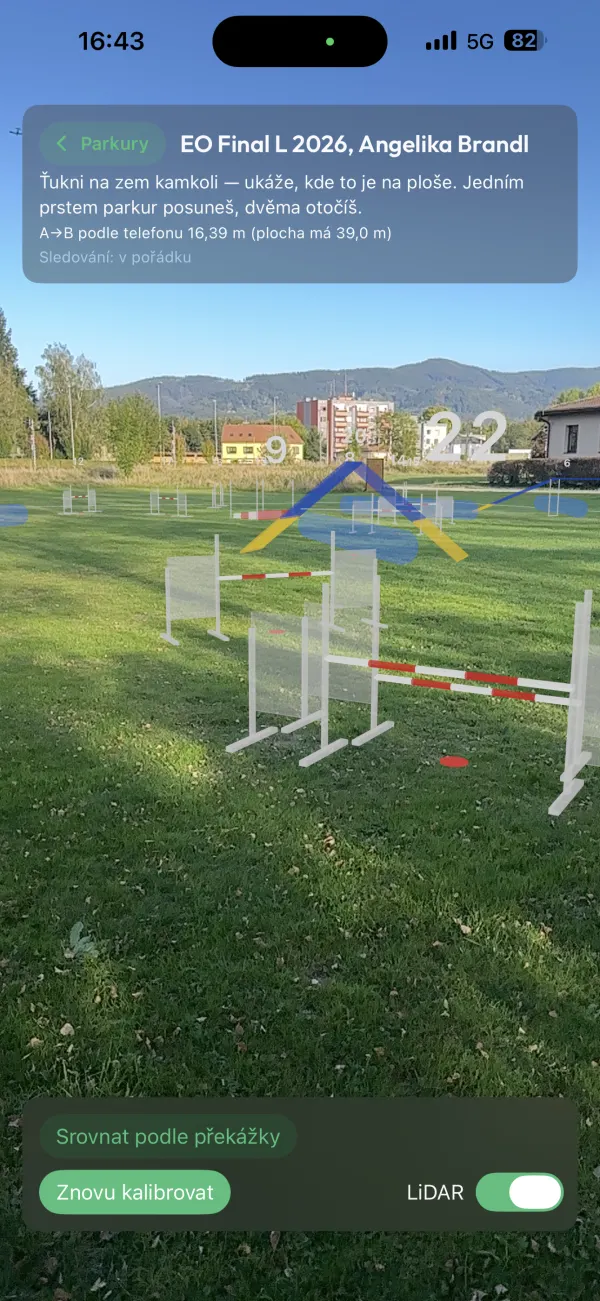
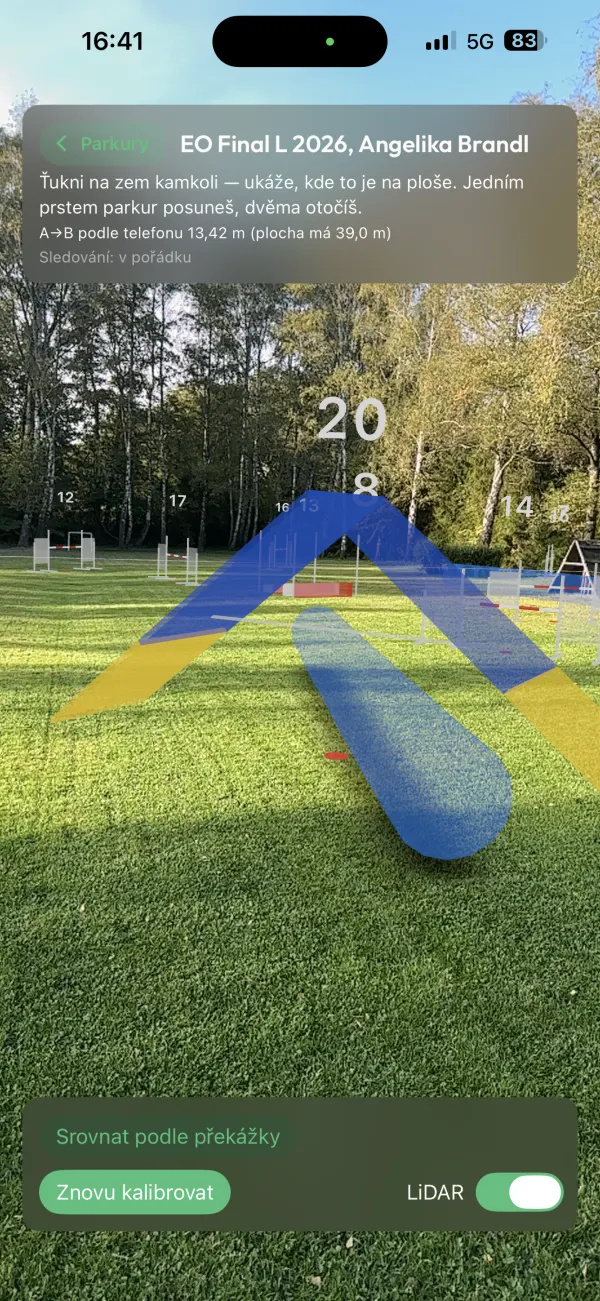
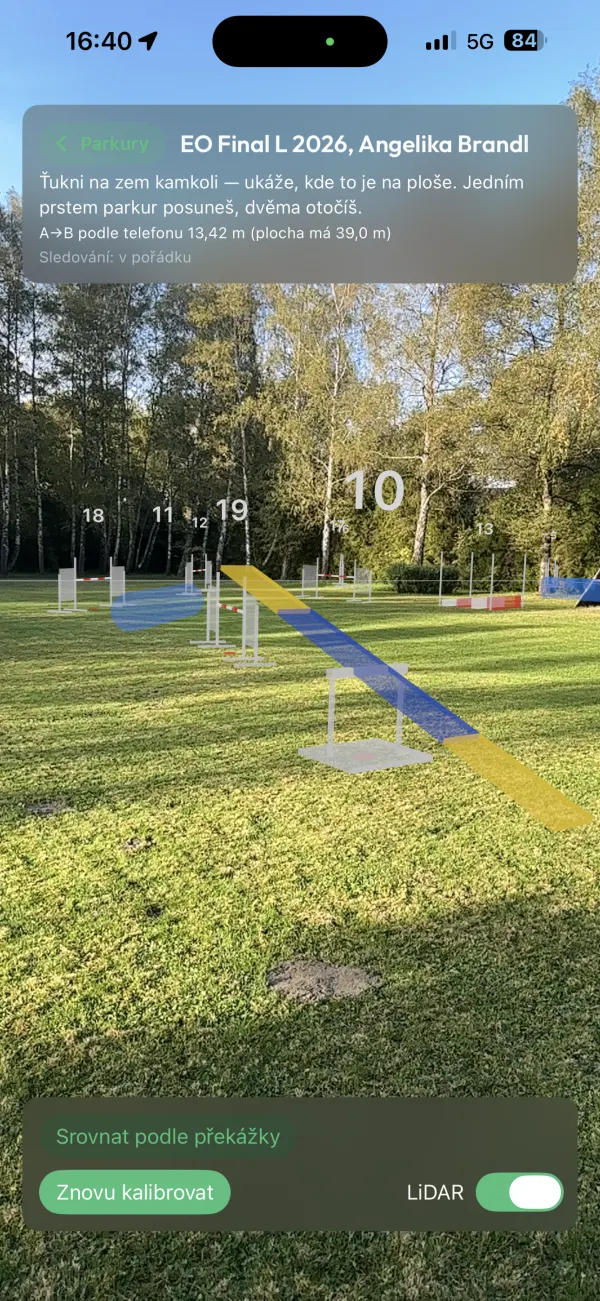
On the field your phone shows every obstacle right where it belongs — full size, turned the way the dog takes it, with its number. No more measuring every jump from the plan with a tape.
- 1Draw the course here on mapagi.app, or bring it from agilitymaps, agiutils or Smarter Agility.
- 2On the field, tap corner A and a point on side A–B. The course settles onto the ground.
- 3Put each obstacle where its ghost stands. If something is off, align the course on a piece that already stands.
iPhone and iPad
The MapAgi app. Download the courses from your account beforehand and they work on the field with no signal.
Version 1.2 · released 13 Nov 2026
Android
Nothing to install, right in Chrome: open a course on mapagi.app on your phone and tap Build in AR. Works on phones with Google Play Services for AR.
My coursesBuilding in AR needs an account — it's free and all it takes is an e-mail.
What MapAgi does
Building in augmented reality
Full-size obstacle ghosts right on the field: calibrated with two taps, moved and turned with your fingers, aligned on a piece that already stands. iPhone in the app, Android in Chrome.
Obstacle editor
The ten FCI obstacles by drag and drop, a turn handle, a tunnel bent into an arc, and editing several obstacles at once.
Numbers and the dog's line
Numbers by clicking in order, always on the side the dog comes from. The dog's line goes round obstacles; where the dog should run differently, drag it — and the length is measured along it, as a judge does with a measuring wheel.
FCI checks
Distances between numbers, course length, number of obstacles and room to walk round — as warnings, not refusals. A training course breaks the rules on purpose.
Stretches of a long course
A training course with 40 numbers is run in pieces. The plan shows just the chosen stretch, with its own start, finish and length.
Stake-out on the field
Each obstacle's distance from the ring's corners: two tapes and the course stands exactly as drawn. Print the whole thing.
From agilitymaps, agiutils and Smarter Agility
A course drawn elsewhere comes in with its numbers: from agilitymaps with one click on a bookmark, from agiutils and Smarter Agility through their export. Drawing in another app? Tell us which one.
Sharing and tracing
Send a course by link or as a file; whoever opens it saves a copy of their own. Put a photo of a paper plan under the grid and trace over it.
The course in 3D
Walk the course the way a handler sees it — from the start, a corner or above. On an iPhone, put it on your table in augmented reality.
On every device
With an account your courses are on your computer and your phone alike. No password — sign in with a code from an e-mail.
Location templates
The ground size and equipment of every place you train. A course knows at once how many obstacles you have there.